⇐ My Apps
Telepipe
Run command-line apps smoothly.
Telepipe is a command-line shell for GNOME.
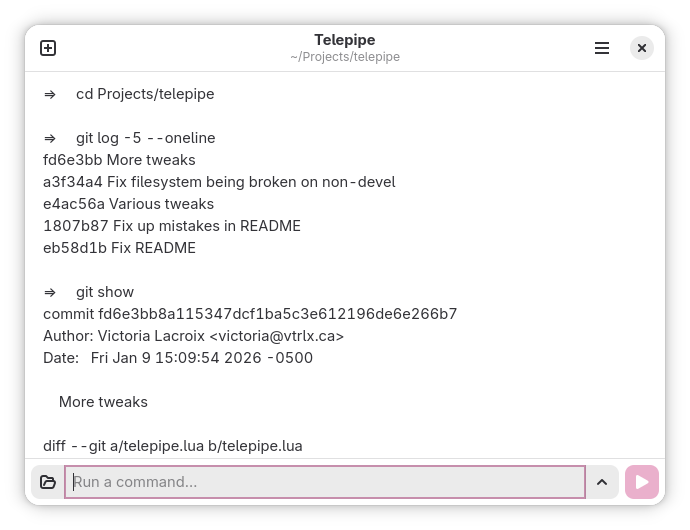
You can run command-line applications as you normally would in a terminal, with additional text processing capabilities. Output from commands is treated like a text editor, which means text can be dragged-and-dropped elsewhere, command output can be amended for clarity, and you can use the mouse to move the cursor when entering a command.
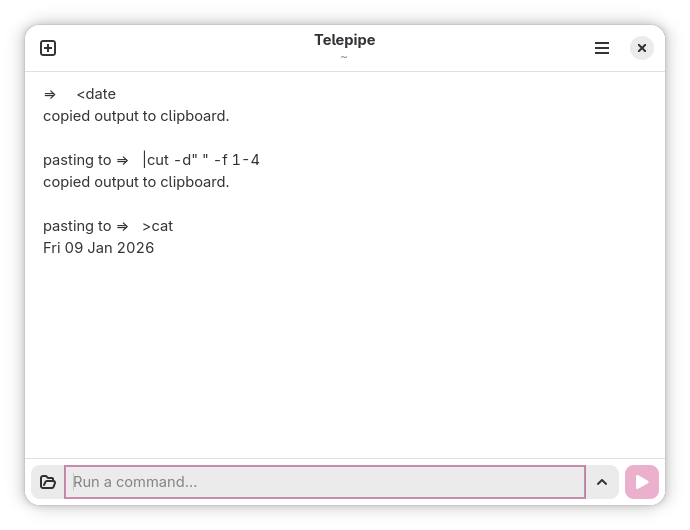
Telepipe also natively interfaces with the system clipboard, allowing its contents to be redirected into commands, command output to be copied to the clipboard automatically, or both.
When combined with standard command-line utilities for text processing, Telepipe’s clipboard redirection grants the capability to easily use advanced text editing even in text editors lacking sophisticated features for modifying text. Copy the source text, then pipe it into the desired shell command pipeline, and paste the result back.
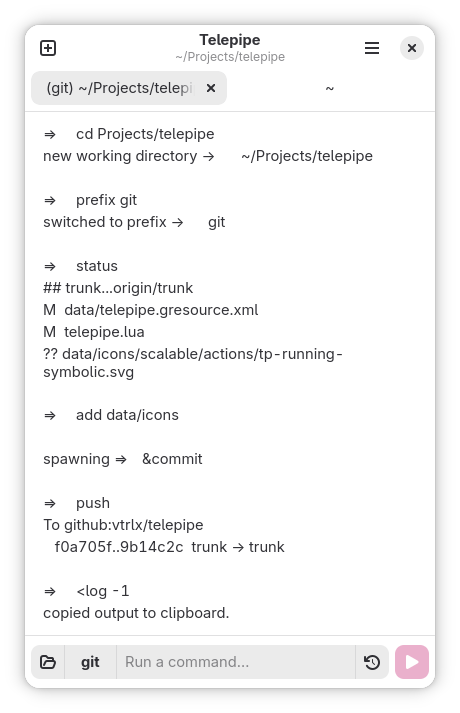
To reduce repetitive typing or editing of previous commands, Telepipe offers a feature called prefixes. When set, a prefix is prepending to all subsequent command lines issued by the user, and the prefix is displayed clearly. Prefixes allow Telepipe tabs to become contextual workspaces for working with specific applications such as Git, SSH, Docker, Podman, etc.
Telepipe can be installed on Linux through Flathub.
Frequently-Asked Questions
Why Doesn’t Telepipe Support Tab Completions?
Telepipe already supports automatic entry of file names by using the Control+J and Control+Shift+J keyboard accelerators. These shortcuts open a file selection dialog—select a file, and its path will be entered in the current tab’s command entry.
Other tab completion features are not planned for inclusion in Telepipe. There are two main reasons for this.
The first reason is that Telepipe’s execution model is different from command-line shells which run in the terminal. Where the terminal runs commands in a single interactive shell session which provides its own tab completion, Telepipe runs each command in a separate non-interactive shell. Tab completion requires an interactive shell, which requires a terminal, and Telepipe is not a terminal and some of its features are designed in part to allow the user to avoid interactive shells.
The second reason for excluding tab completion has to do with user experience. The presence of this feature encourages compulsive use of the tab key to try to complete commands which are being entered, which contributes to repetitive strain injuries. This feature also causes the user to engage less with what they’re typing, leading to skill loses or a failure to internalized learned information on how to use commands. The idea that tab completion saves time is also questionable—does interrupting a train of thought to attempt tab completion save time when the desired command is already known and the user is already a decent typist?
Telepipe allows alternate solutions to this problem. Any text in the command output view can be highlighted, then dragged-and-dropped into the command entry. Prefixes (through the built-in prefix command) can also greatly reduce repetition when typing multiple commands in sequence.